How to use A/C?
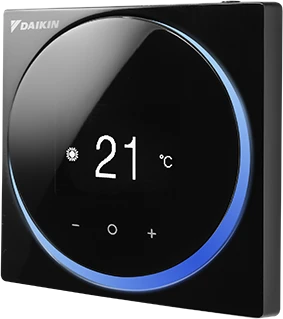
For optimal comfort throughout the year, you can regulate the temperature of your room using the control panel conveniently located on the wall.
-
1.Turn ON/OFF the A/C:
Locate the wall-mounted thermostat and press the power button at the top to turn it on.
-
2.Set the Mode:
Press the central touch button on the panel to select Cool (snowflake icon) for cooling the room, or Heat (sun icon) for heating. Please note that the mode can only be changed from the central control panel located in the living room area.
-
3.Adjust the Temperature:
Press the temperature up (+) or down (-) buttons to set your preferred temperature.
-
4.Control the Fan Speed:
Use the fan speed button to adjust airflow which include Low, Medium, High, or Auto.